Download LED Control Software for WLED


Download Slick Pixel BETA

Move from ad-hoc control to structured lighting operations with WLED and Slick Pixel
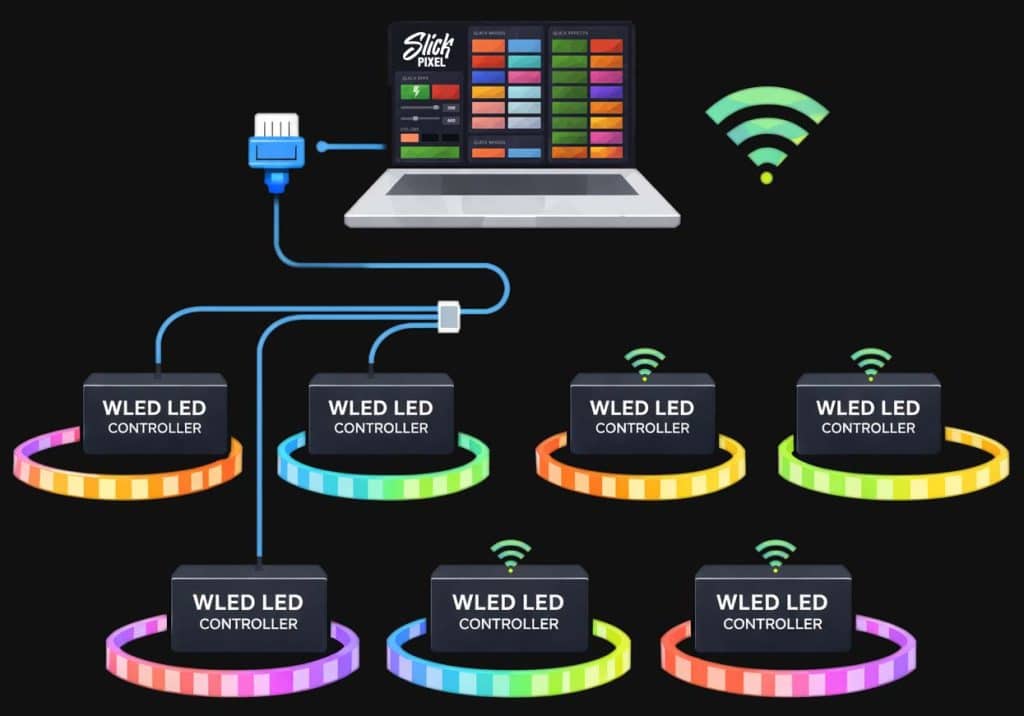
Orchestrate multiple WLED devices at once with synchronized, real-time control.
Build dynamic looks quickly with performance-ready effects.
Fine-tune color, movement, and timing with dedicated controls.
Harness WLED's built-in effects, palettes, and presets with pro-level control.
View full feature list

macOS (Apple Silicon)

Version: 0.1.10 Size: 108.70 MB

Minimum Requirements
  • macOS 12 Monterey or newer
  • 4 GB RAM
  • Apple Silicon CPU (M-series)

macOS (Intel)

Version: 0.1.10 Size: 114.46 MB

Minimum Requirements
  • macOS 12 Monterey or newer
  • 4 GB RAM
  • 64-bit Intel CPU

Windows (x64)

Version: 0.1.10 Size: 84.95 MB

Minimum Requirements
  • Windows 10 or Windows 11 (64-bit)
  • 4 GB RAM
  • DirectX 11-capable graphics support
Release Notes

Version 0.1.10 (February 23, 2026)

What’s new
  • New in-app update checks:
  • Slick Pixel can now tell you when a newer version is available.
  • You can check anytime in Settings -> Licensing -> App Updates.
  • An Update badge appears in the app when a new version is ready.
  • A startup notice now appears with a quick download button.
Improvements
  • Clearer update messages:
  • If update checks fail, you now see a friendly message instead of a technical error code.
  • Simpler update flow:
  • Update buttons now take you directly to the latest download page.
  • Security and stability improvements across licensing and update checks.
  • Improved core API security to better protect app communication.

Version 0.1.9 (February 22, 2026)

What’s new
  • Improved desktop launch experience on macOS:
  • Slick Pixel now opens full-size on launch on macOS.
  • It still opens as a normal app window with standard OS controls.
  • Fullscreen remains optional when you want it.
Improvements
  • Clearer license status feedback in Admin:
  • License checks now show the specific reason/result, not just a generic pass/fail state.
  • Load time improvments.
  • UI tweaks.

Version 0.1.8 (February 21, 2026)

What’s new
  • Improved `Quick Apply` workflow:
  • Added scrolling text input when a scrolling text effect is selected.
  • Quick Apply now applies default effect controls from metadata (`sx`, `ix`, `c1`, `c2`, `c3`).
  • Quick Apply device selectors now focus on online devices for more reliable one-click actions.
Fixes
  • Improved licensing error messaging so users see actionable reasons instead of generic `Bad Request` text.
  • Updated license refresh request handling to avoid strict-parser `400` failures on some runtimes.

Version 0.1.7 (February 19, 2026)

What’s new
  • Added kiosk layout customization in Admin Settings (`Kiosk Visible Cards`).
  • Admin can now choose which kiosk cards operators see (for example quick controls, groups, scenes, moods, and alerts).
Fixes
  • App no longer opens forced fullscreen by default.
  • Added fullscreen keyboard controls for easier recovery:
  • `F11` toggles fullscreen.
  • `Escape` exits fullscreen.
  • Improved usability for users who previously got stuck in fullscreen.

Version 0.1.6 (February 17, 2026)

What’s new
  • Improved Windows installer and launch reliability.
  • Added a more robust Windows build pipeline to reduce bad installer releases.
Fixes
  • Reduced startup failures on some Windows systems.
  • Improved startup error handling so users are less likely to see repeated error popups.

Version 0.1.5 (February 17, 2026)

What’s new
  • Improvements to desktop app release quality and packaging consistency.
Fixes
  • General desktop app polish and stability updates.

Version 0.1.4 (February 16, 2026)

What’s new
  • Expanded desktop app feature and setup flow groundwork.
  • Improvements to in-app onboarding and first-run experience.
Fixes
  • Security and stability hardening in core app flows.
  • Multiple beta-cycle bug fixes and usability improvements.